
Local Train Ticketing System Project
Introduction
In the heart of Mumbai’s chaotic daily life, the local train system serves as the city’s lifeline. Our innovative Mumbai local train ticket booking app aims to simplify your commuting experience, offering a seamless and convenient way to purchase tickets.
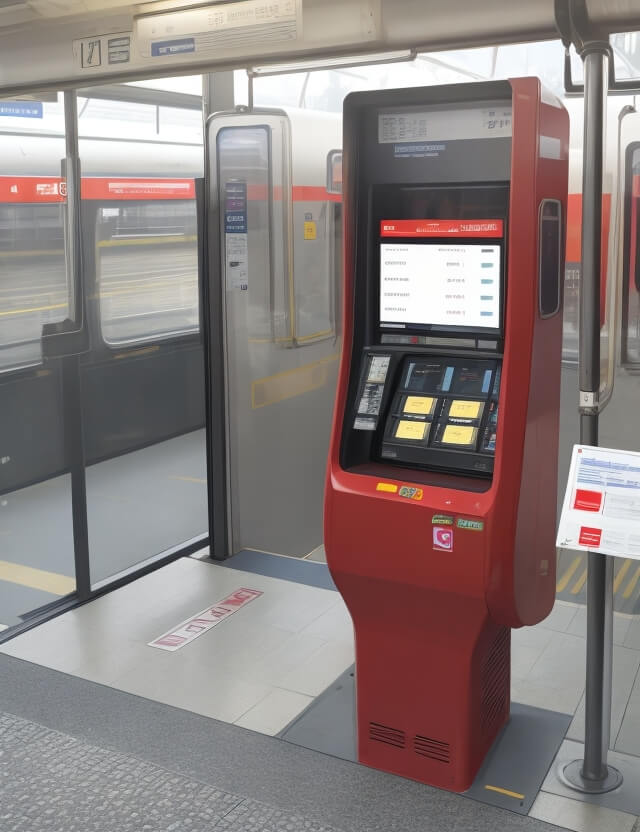
Features of the Mumbai Local Train Ticket Booking System
- User-friendly Interface: Our Mumbai local online ticket app is designed with an intuitive interface, making it easy for everyone to navigate.
- Multiple Ticket Options: Whether you want a single journey or a return ticket, first class or second class, the app has got you covered.
- Route Information: Not just a ticket booking platform, but also an informational guide that helps new passengers understand routes, stations, and costs.
How to Book Online Tickets for Mumbai Local Train
- Download the App: Download the Mumbai local train booking app from your respective app store.
- Login or Sign Up: For new users, a quick sign-up process is required. Returning users can simply log in.
- Select Source and Destination: Choose your boarding station (source) and your exit station (destination).
- Choose Ticket Type: Decide between a single journey or a return ticket, and between first and second class.
- Payment and Confirmation: Proceed to payment and your ticket will be ready for download.
Advantages and Disadvantages
- Advantages:
- Queue-free experience
- Cost transparency
- Ideal for new passengers
- Resource and manpower saving
- Disadvantages:
- Requires internet connectivity
- Account recharging needs admin approval
Conclusion
The online local train ticket booking app offers a modern solution to an age-old problem, making your daily Mumbai local train commute a hassle-free experience. With options for everyone, from daily commuters to occasional travelers, the system is geared to make your life simpler.
Sample Code
Folder Structure
- mumbai_local_train_ticketing/
  - static/
    - css/
      - style.css
  - templates/
    - index.html
    - login.html
    - dashboard.html
  - app.py
app.py
from flask import Flask, render_template, request, redirect, url_for, session

app = Flask(__name__)
app.secret_key = "secret"

users = {}  # Sample user data storage
tickets = []  # Sample ticket data storage

@app.route("/", methods=["GET", "POST"])
def login():
    if request.method == "POST":
        username = request.form["username"]
        password = request.form["password"]
        if username in users and users[username] == password:
            session["username"] = username
            return redirect(url_for("dashboard"))
        else:
            return "Invalid login!"
    return render_template("login.html")


@app.route("/dashboard", methods=["GET", "POST"])
def dashboard():
    if "username" not in session:
        return redirect(url_for("login"))
    if request.method == "POST":
        source = request.form["source"]
        destination = request.form["destination"]
        ticket_type = request.form["ticket_type"]
        class_type = request.form["class_type"]
        tickets.append({
            "source": source,
            "destination": destination,
            "ticket_type": ticket_type,
            "class_type": class_type
        })
    return render_template("dashboard.html")


if __name__ == "__main__":
    app.run(debug=True)
login.html
<form method="post">
    <input type="text" name="username" placeholder="Username">
    <input type="password" name="password" placeholder="Password">
    <button type="submit">Login</button>
</form>
dashboard.html
<form method="post">
    <select name="source">
        <option value="station1">Station 1</option>
        <option value="station2">Station 2</option>
    </select>
    <select name="destination">
        <option value="station3">Station 3</option>
        <option value="station4">Station 4</option>
    </select>
    <select name="ticket_type">
        <option value="single">Single Journey</option>
        <option value="return">Return</option>
    </select>
    <select name="class_type">
        <option value="first_class">First Class</option>
        <option value="second_class">Second Class</option>
    </select>
    <button type="submit">Book Ticket</button>
</form>
style.css
(You can add any styling here)
Common search variants this project covers
Related searches this project answers: mumbai local train ticket online, flask login tutorial, mumbai local train ticket, local train app download, flask-login tutorial, flask login_user, react protected routes, train ticketing system project, python flask login, flask auth, mumbai local train ticket booking app, mumbai local train ticket online app, mumbai local train online ticket app, node js session management, mumbai local train ticket online booking app, mumbai local online ticket, login required flask, mumbai local ticket booking app, mumbai local ticket app, node session management, python user authentication, python login page code, user permissions flask, session in react js, online ticket local train mumbai.
More search queries this project answers
Related searches this project answers: old mumbai local train ticket, python flask authentication, python @app.route, login page python code, flask ldap authentication example, flask flash messages, flask login example, flask login authentication, authorization in flask, access control flask, flask authentication example, express js login, flask login page, javascript on submit button click, how to make a form in javascript, local train booking app mumbai, local train booking app in mumbai, flask user authentication, flask post example, how to create login page in python, how to buy mumbai local train ticket online.